
Scouting Your Competition: How to Perform a PPC Competitive Analysis


A Guide to Creating the Ultimate PPC Scouting Report
It’s almost impossible to outperform a competitor if you don’t know who you’re competing against or what kind of plays they’re calling. Ask any successful athlete or coach – you cannot beat a team if you don’t have a plan for how to play against them.
This same mindset applies to digital marketing!
The marketing industry is full of brilliant minds and hard workers. But without a competitive analysis to understand who you’re advertising against and what makes them successful, you have no chance of outperforming your competitors.
In this guide, I’ll explain how to create the ultimate PPC “scouting report” and explain how you can leverage what competitors are doing to improve your own results.
Table of Contents
What is a PPC Competitive Analysis?
In sports, a scouting report is a detailed analysis of an opposing team’s players, strategies, and performance. It identifies a team’s strengths and weaknesses – what they’re good at and areas you can potentially beat them.
In marketing, it’s just as helpful to do a deep dive on your competitors. A PPC competitive analysis helps you identify who your competitors are, where they’re spending their ad dollars, how you stack up against them, and more.
This analysis will help you better understand your industry’s digital advertising landscape, see what's working for businesses you’re competing against, and identify any untapped opportunities for you to reach your audience.
Keep in mind, a full competitive analysis will cover every aspect of your competitor’s digital marketing strategy. But in this guide, we’re going to focus specifically on PPC.
Why You Should Analyze Your Competitors
Any team’s overall goal is to win. As marketers, performing these PPC “scouting reports” helps us make smarter decisions and ultimately improve performance and return on investment. A competitive analysis will give you insight into:
- Your Competitors: The businesses you’re directly competing with and bidding against
- Strategies: What businesses in your industry are spending ad dollars on and where
- Assets: What imagery, words, and other elements your competitors are using to describe products and services
- Weaknesses: Any gaps your competitors have that you can step in and fill
The more you learn about the other businesses in your industry, the easier it is for you to identify areas for improvement, spend ad dollars more efficiently, and build a more competitive strategy.
How to Perform a PPC Scouting Report
Now that you have a better idea of what a PPC scouting report is and why it’s worth the time and effort, let’s talk about how to do it. The task can feel overwhelming, especially if you’re in a highly competitive industry, so let’s break it down into steps to make it more manageable.
Identify Your Competitors
The first step of your analysis will be to identify your competitors. You may think you know which businesses you compete with in your industry, but your analysis will help you confirm who’s bidding against you.
There are a couple of different ways to get a full picture of who you’re competing against.
Search Engine Results Pages
You can conduct a simple Google search to identify what other companies are bidding on your keywords – and on your brand.
By simply searching for some of your top-targeted keywords and seeing which ads appear at the top, you can identify competitors who are bidding on those same keywords.
You should also search your brand name, or other branded keywords, and see what ads show up. Searching your branded terms will give you insight into what competitors are bidding on your brand.
Disclaimer: Results may show competitors bidding on certain keywords because of PMax or AI Max campaigns. Due to the automation of these campaign types, advertisers may be unintentionally bidding on keywords.
Google Ads Insights
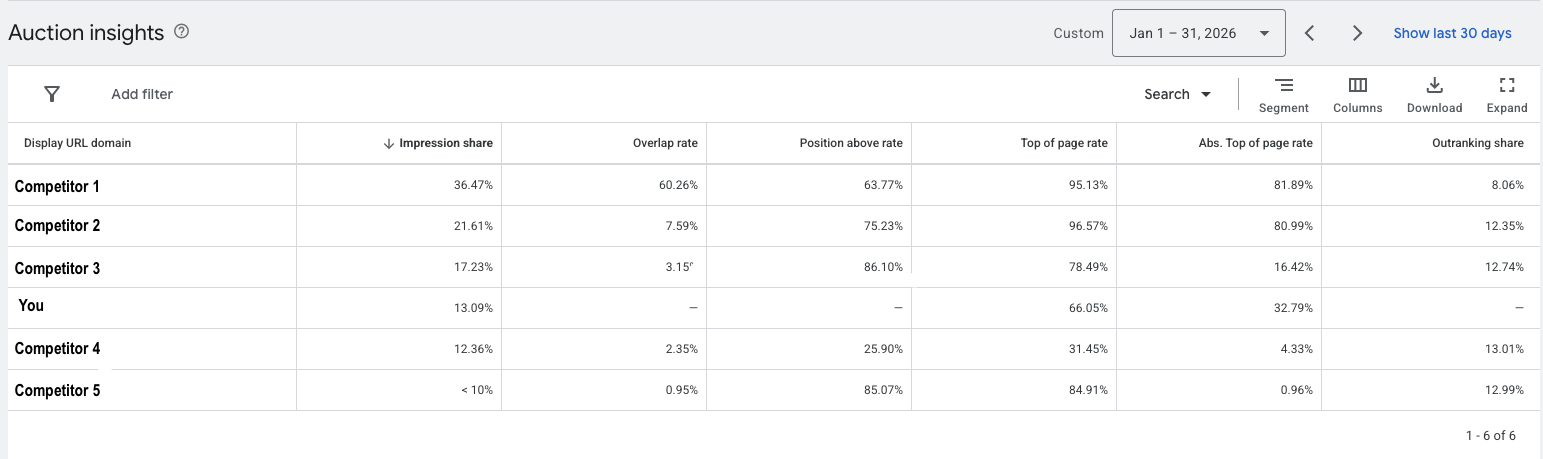
Another way to identify your competitors is to access “Auction insights” in Google Ads. To access these insights, just navigate to Campaigns > Insights and reports > Auction insights.
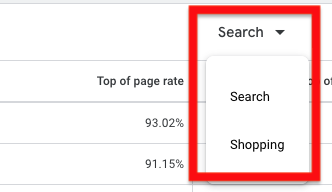
Something to note: If you’re in the ecommerce space and utilize shopping campaigns, you can view auction insights specifically for those campaigns! There’s an option to view either Search or Shopping campaigns directly under the date range.
Google’s Auction Insights report gives you a lot of valuable information about how you measure up with your top competitors. Here are some of the metrics you’ll get and what they mean:
- Impression share: The number of impressions you received divided by the estimated number of impressions you were eligible to receive
- Overlap rate: How often another advertiser’s ad received an impression in the same auction that your ad also received an impression
- Position above rate: How often another advertiser’s ad in the same auction shows in a higher position than your own, when both of your ads were shown at the same time
- Top of page rate: How often your ad (or the ad of another advertiser, depending on which row you're viewing) was shown among top ads in search results
- Abs. Top of page rate: The percent of your impressions that are shown as the very first ad among top ads
- Outranking share: How often your ad ranked higher in the auction than another advertiser’s ad
Once you know who your competitors are, you can get into more specific insights that will help figure out where they’re spending their ad dollars and how they want to show up.
Bonus Tip: If you have a Google rep for your account, ask for any competitor data for your account. They may be able to provide some high-level insights within Google Ads.
Find Where Your Competitors Are Running Ads
One of the most important things to determine during your analysis is which platforms our competitors are running ads on. Figuring out where they’re spending money will help you adjust your strategy to be more competitive.
For example, let’s say your biggest competitor is only running ads on Google, and not spending anything on Microsoft. If that’s the case, you know you’ll need to be much more competitive on Google. But you should also consider whether there’s a subset of potential customers on Microsoft that your competitor isn’t reaching. This may be an opportunity to fill a gap and reach an untapped audience.
How to Find Competitor Ads
Ad libraries within different ad platforms give you the opportunity to find current or previous ads run by your competitors. Not only does this help you identify if your competitors previously ran, or are currently running ads, but there are different features on each platform that offer more insights.
The four most popular platforms that conveniently offer these libraries are:
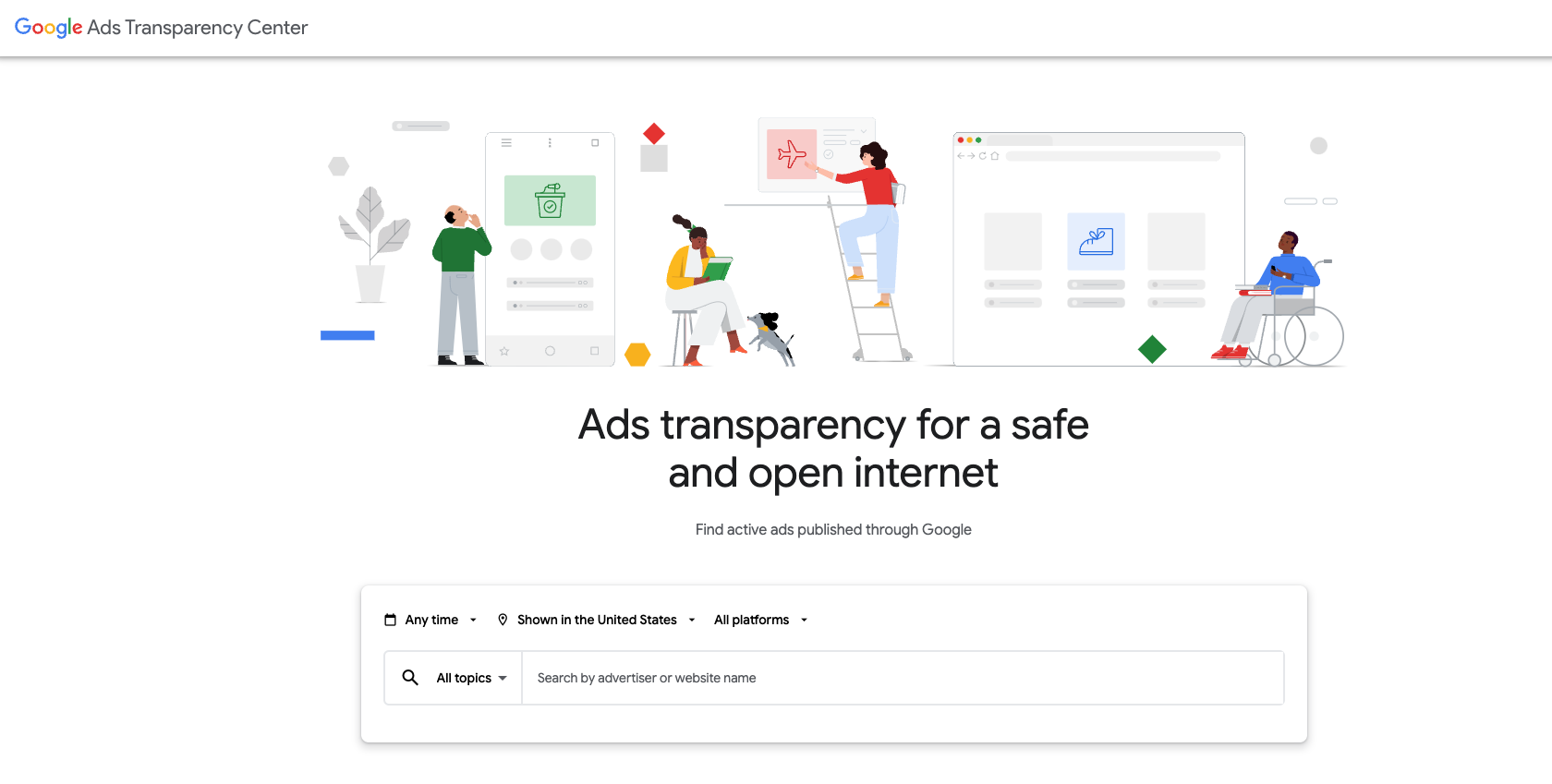
Google's Ad Transparency Center lets you view any date range, location, or Google-specific platform.
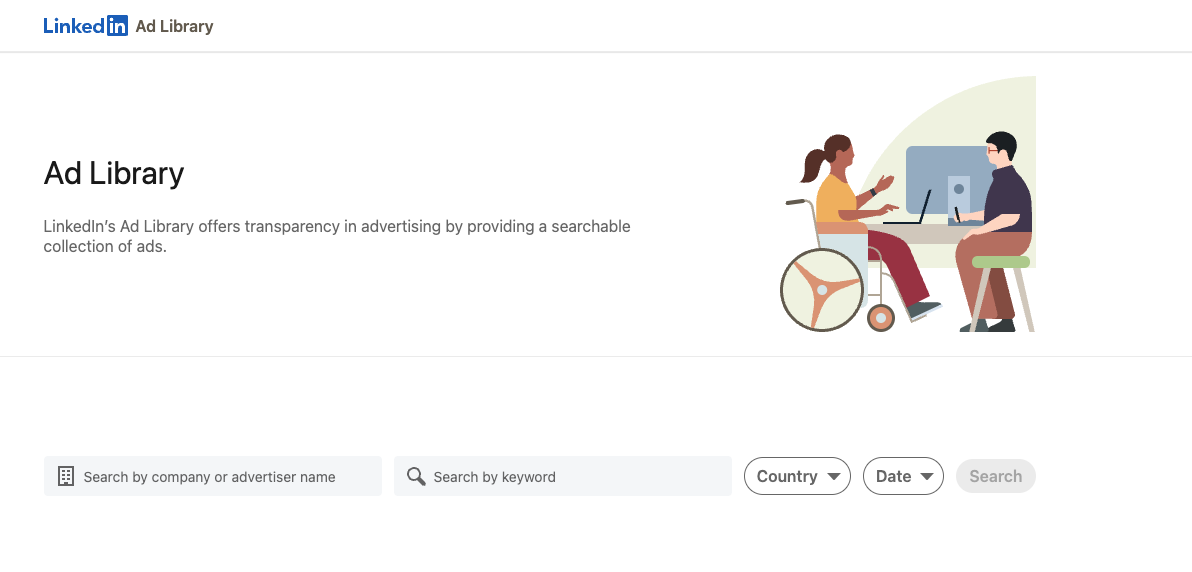
The LinkedIn Ad Library gives you the option to search by company and specific keywords. This is especially helpful when you're trying to identify the terms competitors are most likely to show up for.
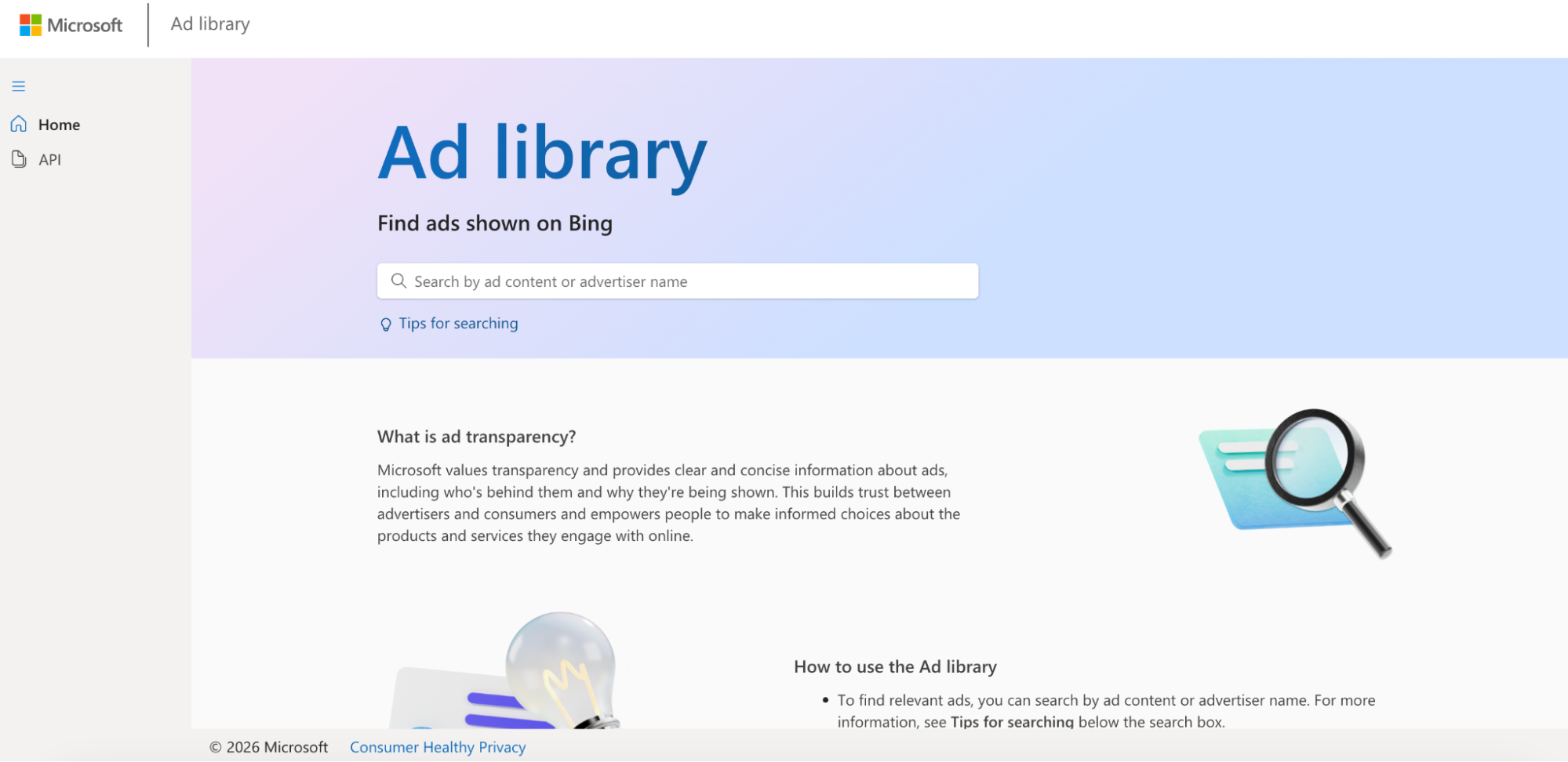
Microsoft
Microsoft's Ad Library allows you to search for specific keywords and see which of your competitors are running ads that include those terms.
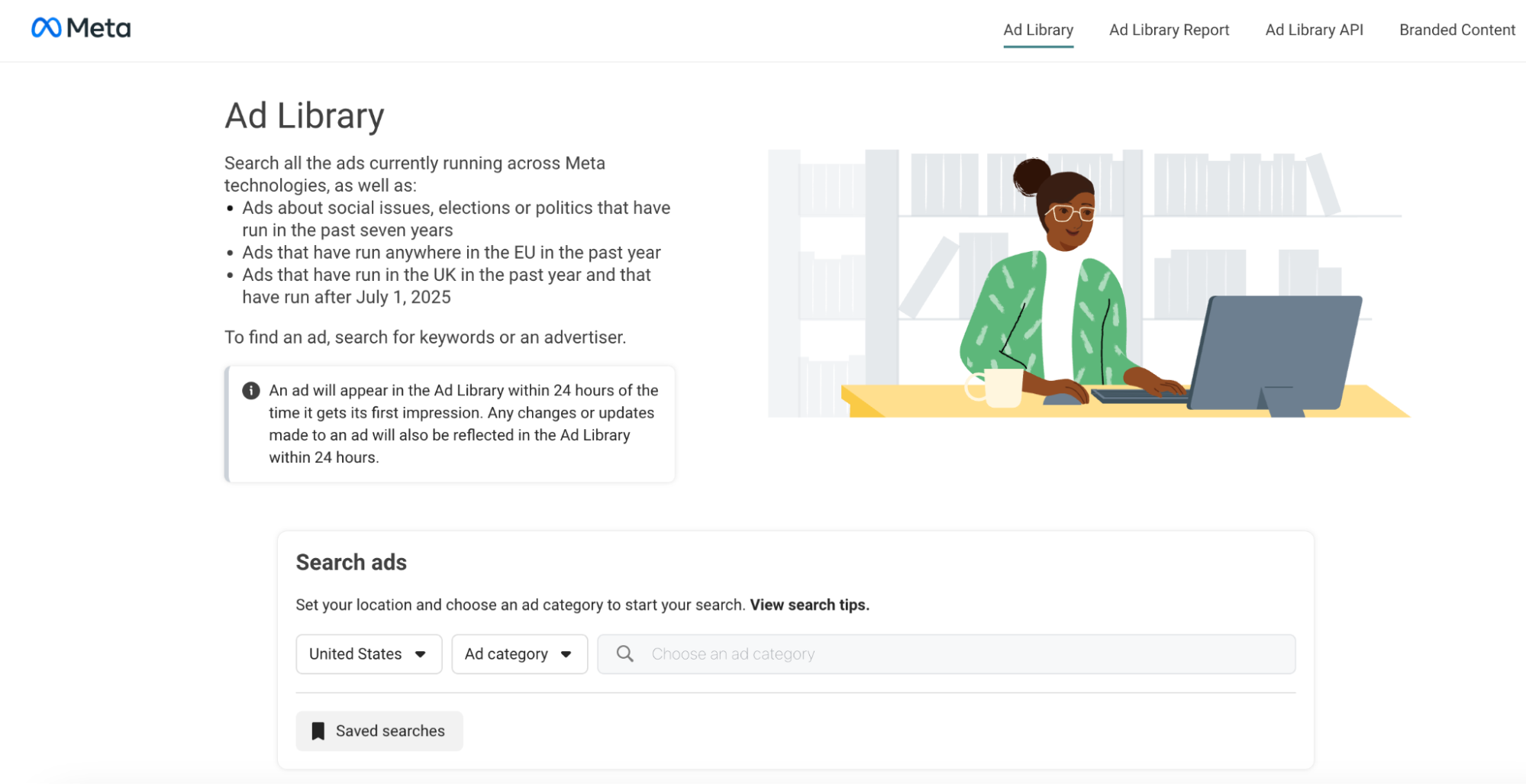
Meta
Meta also has an Ad Library that narrows down the search results by country and ad category to see the paid ads running on Meta technologies, like Facebook and Instagram. Once you search for the specific keyword, the results will show different competitors whose ads match the keyword search.
Review Their Assets
Another key step in any thorough competitive analysis is analyzing your competitors’ paid assets – both written and visual. Doing this will give you better insights into how your competitors are speaking to the audience, their tone and style, and how they’re showcasing different products and services.
All of this information can be found by looking at your competitors' ads in the transparency center and ad libraries I listed above.
Ad Copy
Analyze your competitors’ ad copy closely. What kind of hooks are they using, and what value propositions are they highlighting? You should also take note of what actions they're urging the audience to take with their CTAs.
Getting insights into how your competitors are talking about products and services in your industry may inspire you to adjust your own ad copy.
Ad Creative
The imagery and creative assets your competitors are using can also help you look at your own ads through a new lens.
Check out what kinds of visuals competitors are using in their ads. Are they focused solely on the product or service, or are there people in the images? How is the product or service being highlighted?
Seeing what creative choices your competitors are making can help you decide whether or not your own assets need to be refreshed.
Landing Pages
In addition to analyzing the actual ads your competitors are running, you should also look at where those ads are sending users.
Take a look at their landing pages and see what information they have, how they’re laid out, and what kind of language they’re using. Are their pages mobile-friendly, and do they provide a good user experience?
Identifying the strong elements your competitors have on their pages, and any points of potential friction, will help you improve your own landing pages.
Figure Out What Keywords They’re Bidding On
Now that you’ve identified your top competitors, figured out which platforms they’re using, and analyzed their assets, it’s time to “watch film.” By that, I mean researching which specific keywords they’re bidding on.
Keywords are the words and/or phrases brands put ad dollars toward to appear for. There are a few different tools you can use to figure out what keywords your competitors are bidding on:
Semrush
Semrush is a great digital marketing tool that provides a comprehensive overview of your competitors’ organic and paid search traffic. While it does require a paid subscription, this platform gives insights into crucial areas of performance among your competitors, including:
- Overall Traffic: Shows changes in the amount of estimated organic and paid traffic driven to an analyzed domain over time
- Branded vs Non-Branded Traffic: A breakdown of traffic driven to an analyzed domain with branded and non-branded organic keywords
- Competitive Positioning Map: Shows the strengths and weaknesses of a competitive domain’s presence in organic search results
- Paid Position Distribution: Shows keywords bringing users to the website via Google's paid search results, which are grouped depending on the domain’s ranking for them.
- And more!
Google Ads Keyword Planner
Google Ads Keyword Planner is a free tool within the Google Ads platform. The tool allows you to research and discover keyword ideas for campaigns by providing search volume, competition levels, and cost-per-click (CPC) for new and existing keywords.
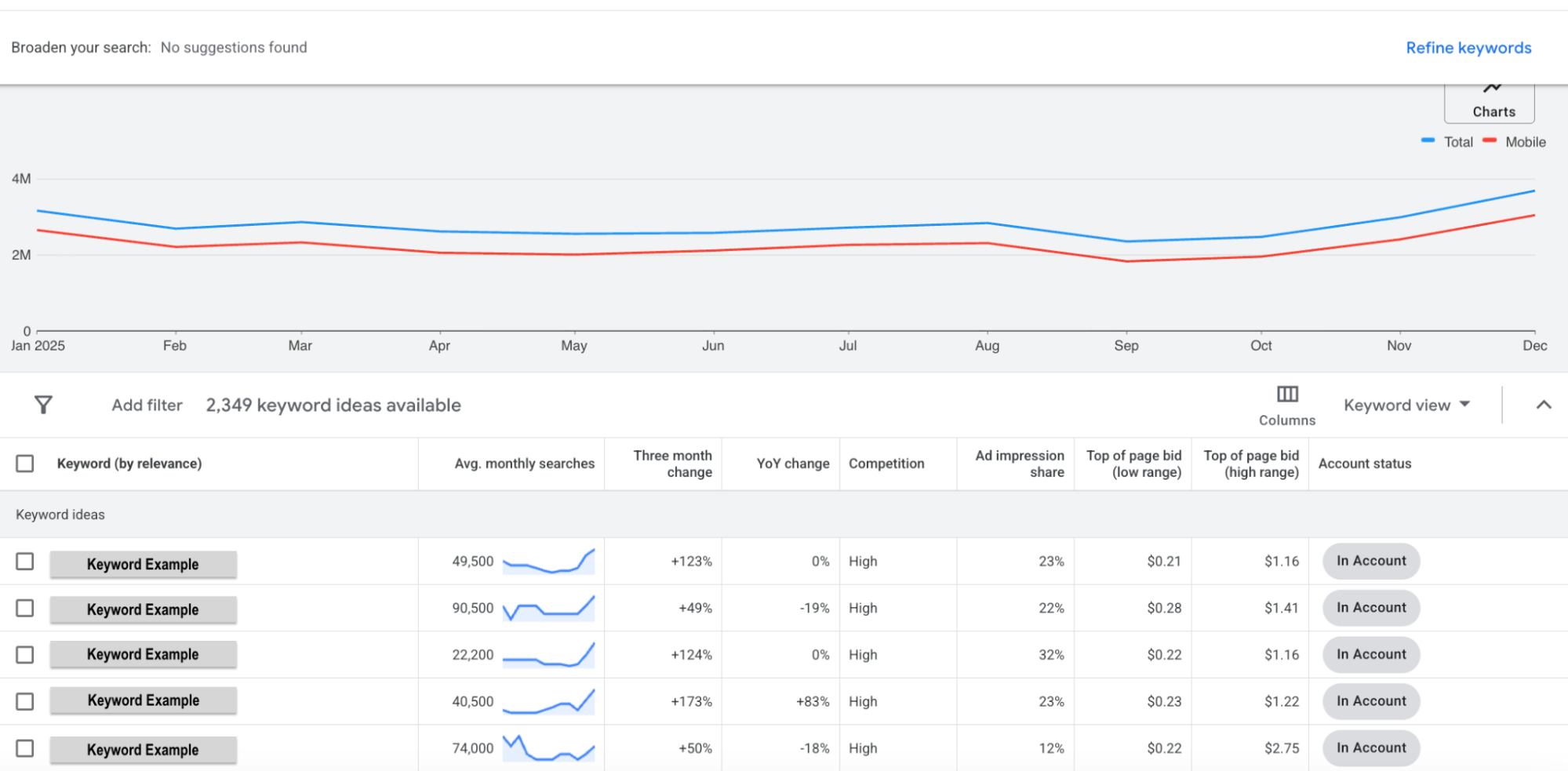
There are two options within the keyword planner to discover new keywords. First, we can start by searching for specific keywords.
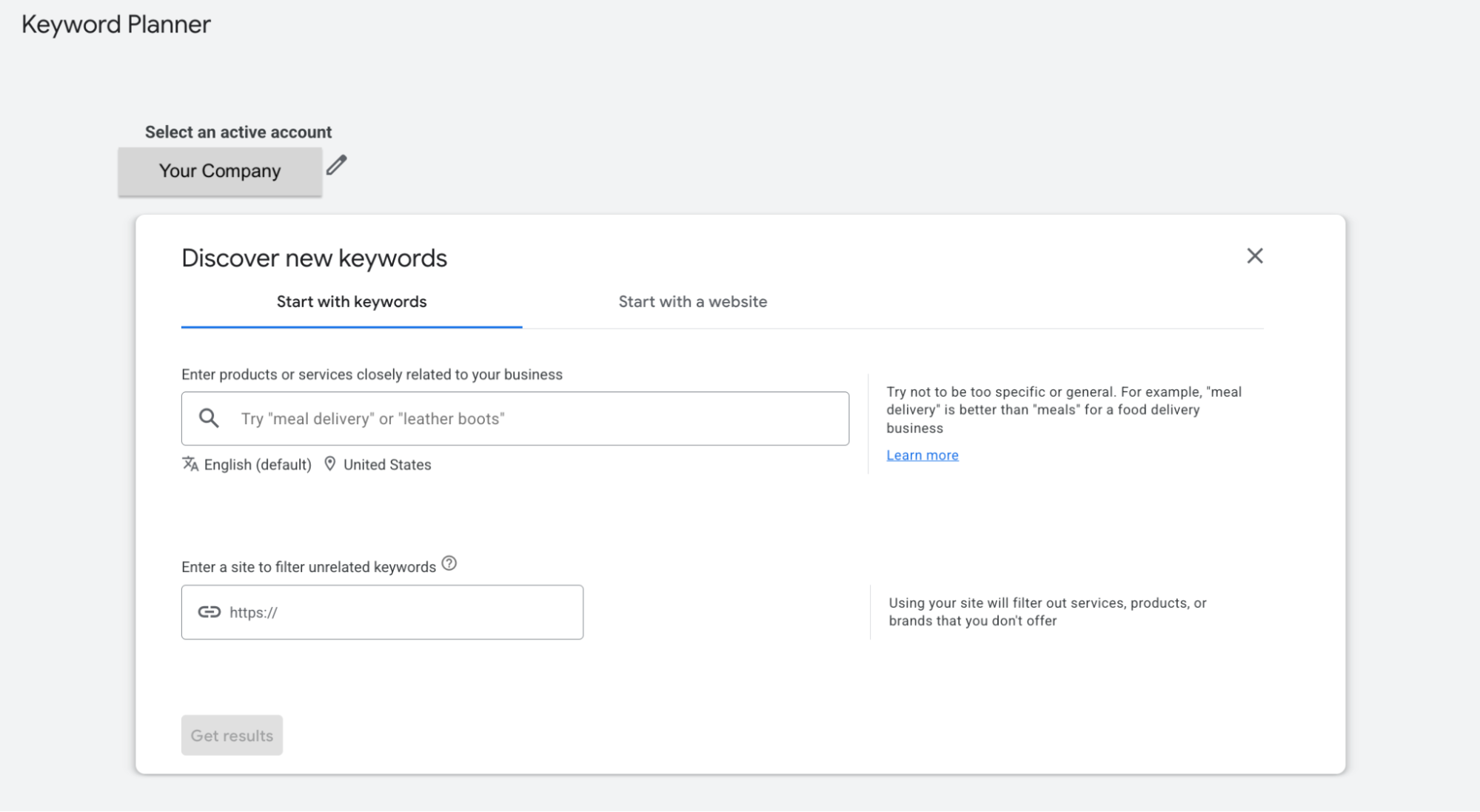
Once you enter your keywords (limited to searching 10 at a time), the keyword planner will provide the average monthly search, the level of competition, impressions, top of page bid, and more. This data can help us determine how frequently the terms are searched and the average cost for a top-of-page bid.
The second option, which is more specific to your competitors, is by searching specific websites or URLS.
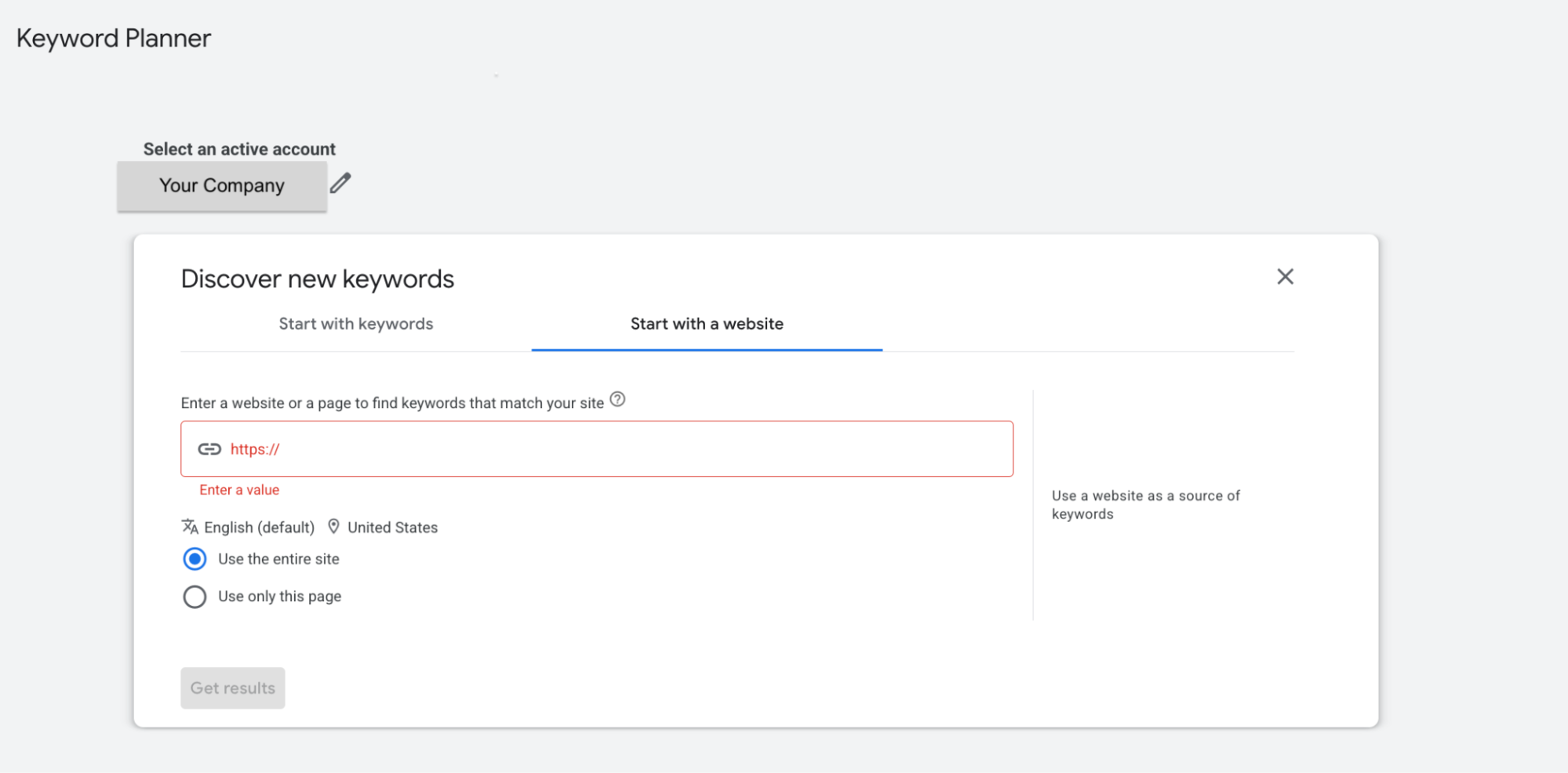
Once you enter a competitor’s URL, either a specific page or the entire site, you can see the keywords that match. The results will be in the same format as the first option, but will also give you an “Account status” column, which identifies whether your account is currently targeting the specific keyword.
How to Use Your Findings
Once you’ve finished your PPC scouting report, you’ll have a better idea of who your competition is and what plays they’re calling. But how can that help you moving forward?
Remember, scouting reports aren’t meant to change how the other team plays. It’s to provide your team with the necessary insights and resources so you can tailor your game plan to put yourself in the best position to win.
Identify Areas for Opportunity
One of the main takeaways you’ll get from a PPC competitive analysis is any potential gaps your competitors have left.
Are there keywords they aren’t bidding on? Platforms they’re not taking advantage of? Consider whether there’s an audience you can reach that other businesses aren’t speaking to.
If you offer similar products or services, what makes yours stand out? Are there any value props or benefits that are unique to what you have to offer? You should call them out in your ad copy and landing pages.
Adjust Your Strategy
Based on your findings, you can make adjustments to your strategy and make smarter decisions about where you’re spending your ad dollars.
For example, you may want to decrease spend on keywords your competitors aren’t bidding on and put more ad dollars toward more competitive keywords.
If you see there are competitors bidding on your brand name, you may also want to adjust your strategy to incorporate branded campaigns and defend your brand name. But if no competitors are bidding on your name, you can spend those ad dollars elsewhere.
Looking to Fine-Tune Your Strategy?
Whether you’ve completed a PPC competitive analysis and don’t know what to do with the findings, or aren’t sure where to start with analyzing other businesses in your industry, Cypress North can help.
If you want to improve your strategy, get in touch!
Meet the Author

Lexi Braniecki
Lexi is a Digital Marketing Associate who joined our Rochester office in August 2024. As a member of our digital marketing team, she supports our paid and organic marketing efforts – both for our clients and our agency.
Originally from Canandaigua, Lexi attended Niagara University for marketing. While she was a student, she gained two years of professional experience working as a marketing intern. Lexi also spent all four years of college playing Division I lacrosse.
Outside the office, Lexi likes spending time with her friends, family, and her dogs, Milo and Remy. She also enjoys watching lacrosse games, cooking, binge-watching MasterChef, and taking walks around Canandaigua Lake.